Is Your Sanctuary Ready for Christmas Eve? A Pre-Advent A/V Checklist for Houses of Worship
Christmas Eve is the one service of the year when everyone shows up. Families who rarely visit, relatives from out of town, and longtime members all fill the room at once. It is also the service where a dead microphone, a muddy livestream, or a dark candlelit moment on camera is most noticeable.
Advent begins on November 29 this year, which means your A/V team has a narrow window to find and fix problems before the busiest stretch of the church calendar. Here is a practical checklist, organized by the four areas that cause the most trouble.
1. Wireless Microphones: Batteries and Frequencies
Wireless systems are the most common source of Christmas Eve surprises, and most of those surprises are preventable.
Batteries
Replace batteries in every handheld and bodypack before each service rather than waiting for a low-battery warning. Fresh batteries are inexpensive compared with a dropped microphone during the scripture reading.
If you use rechargeable batteries, confirm they still hold a full charge. Rechargeables lose capacity with age, and a set that worked well last Easter may not last through a long service with a choir and multiple readers.
Keep a labeled spare set of batteries and at least one spare microphone at the sound desk.
Frequencies
Run a frequency scan in the room with everything powered on, including lighting, video displays, and any visiting groups' equipment. Interference often comes from devices that were not there last year.
Confirm that your microphones operate in frequency ranges that are legal for use. If your system is older, it may be worth having it evaluated, because regulations affecting wireless spectrum have changed over the past several years.
Walk the entire stage and platform with each microphone while someone monitors the signal. Dead spots tend to appear in the places where a soloist or narrator is most likely to stand.
Check the physical gear
Inspect headset and lavalier microphone elements and cables for cracks, sweat damage, and loose connections. Replace anything that crackles when the cable is flexed.
2. Candlelight Service Lighting
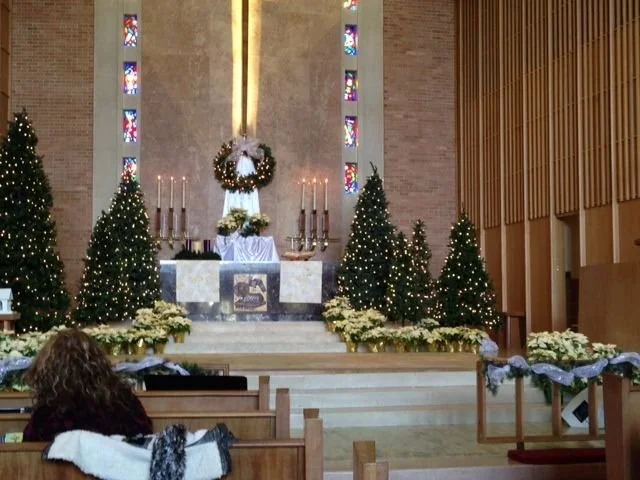
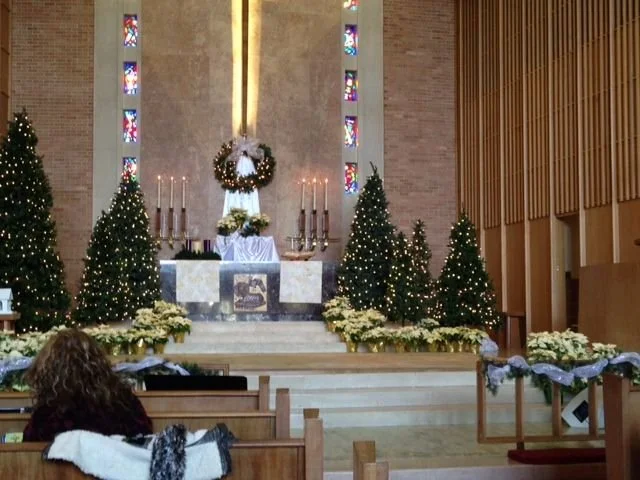
The candlelight moment is the emotional center of many Christmas Eve services. It is also a lighting challenge, because the room needs to be dim enough to feel intimate while still allowing people to see, and your cameras to capture it.
Program the look in advance. Build and save a dedicated lighting scene for the candlelight portion and rehearse the transition into and out of it. A cue that is created during the service rarely looks as good as one that was tested.
Keep key people visible. Pastors, readers, and soloists still need enough light on their faces. A small amount of warm, low-level light on the platform keeps the focus where you want it.
Plan for the camera. Cameras handle low light differently than people do. Test the candlelight scene on your livestream and adjust exposure, or add a little more fill light, so the picture does not turn grainy or dark.
Consider LED candles for the congregation. Many churches use battery-powered candles for safety and consistency. If you plan to, order early and have enough fresh batteries on hand.
Follow your fire and safety guidelines. If your service uses real flame, confirm your plans with your facility's safety policies and local requirements.
Replace worn lamps and check dimmers. Burned-out fixtures and flickering dimmers are easy to miss until the room is dark. Do a full walkthrough with the house lights down.
3. Livestream Audio
Many of the people who watch your Christmas Eve service will be at home: members who are traveling, family members in other cities, or anyone who cannot attend in person. They will tolerate imperfect video far more readily than poor audio.
Give the stream its own mix. What sounds right in the room often does not sound right online. A stream mixed directly from the room mix can sound too loud in the choir and too quiet on the spoken word.
Capture the room. Congregational singing is a highlight of the service. Ambient microphones that capture the sound of the congregation help viewers feel part of it.
Monitor with headphones. Someone should be listening to the stream feed itself, not just the room.
Watch your levels. Keep spoken word at a consistent level throughout the service and avoid clipping during the loudest musical moments.
Test the entire signal path. Run the stream privately a few days in advance, with real audio, and check on a phone, a laptop, and a television. Confirm that audio and video stay in sync.
Have a backup plan. A second internet connection, or at least a recorded backup of the service, can save the day if the network drops.
4. Overflow Rooms
If your congregation grows on Christmas Eve, an overflow room, such as a fellowship hall, a chapel, or a classroom, may be the difference between a welcoming evening and a frustrating one.
Send a good audio feed. The overflow room needs clear sound that is mixed for that space, not just a copy of what is heard in the sanctuary.
Provide a clear picture. Make sure the video displays are large enough to be seen from every seat, with the camera framing the speaker and the platform.
Check the timing. If the sanctuary's sound reaches the overflow room through the walls as well as the speakers, a slight mismatch between the two can be distracting. Adjusting the delay can help.
Keep it accessible. Include assistive listening options and make sure the room is easy to find and navigate.
Assign someone to the room. A volunteer who can adjust volume and answer questions makes guests feel like they have not been left out.
A Simple Timeline
Late November: Replace aging batteries and microphone elements. Scan frequencies. Inspect lighting fixtures and dimmers.
Early December: Program and rehearse the candlelight cues. Test the livestream and the overflow room feed.
Week of Christmas Eve: Hold a full run-through with volunteers. Stock spare batteries, cables, and a backup microphone. Post a one-page troubleshooting sheet at the sound desk.
Day of the service: Arrive early, do a full sound check with everything powered on, and keep an experienced person at the desk throughout the service.
Need Help Before the Big Night?
If your team finds something you cannot solve on your own, such as persistent interference, an aging system, or lighting that no longer does what you need, the best time to call is now. Equipment lead times and installation schedules tighten as December approaches.
Infinity Sound has been serving houses of worship across Dallas, Fort Worth, and Texas with audio, video, and lighting design, installation, and service. Contact our service team at (972) 206-0001 or service@infinity-sound.com to schedule a pre-Advent system check.